


RSVSR GTA 5 Map Editor tips to install use and save custom maps
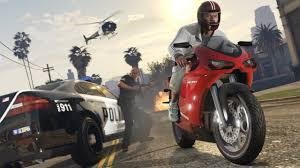
If you have ever looked at Los Santos and thought "this place needs a ridiculous stunt ramp off Maze Bank or a proper zombie base," then the Map Editor mod is probably what you are after, especially if you already mess around with things like GTA 5 Money. It is basically a sandbox mode for the PC version of Grand Theft Auto V. You drop in props, spawn vehicles, place peds wherever you like, and then just see what happens. The free camera makes a big difference too; instead of wrestling with the default game camera, you just float around and build scenes in a way that feels a lot closer to a creative tool than a normal game.
Setting Up The Mod
Getting Map Editor running is not super hard, but you do have to put the right files in the right place. You need ScriptHook V, ScriptHook V.NET, and a menu library called NativeUI. Most people grab the latest versions from a well known mod site and stash them somewhere handy first. Then you open your GTA V install folder, the one with GTA5.exe in it, usually under Steam or Epic. The ScriptHook files go straight into that root folder. After that, you create a new folder in the same place called "scripts" in lowercase. Map Editor's files and NativeUI go inside that scripts folder. If you miss that step and just dump everything next to the exe, the mod just will not show up in game.
Controls And Building Maps
Once the game loads into Story Mode, you tap F7 and a small menu slides out from the left side of the screen. That is your signal it worked. From there it feels a bit like a level editor you might have used in other games. You move the camera with WASD, use the mouse to look around, and start dropping things into the world. Press P to bring up ped options, V for vehicles, and you can scroll through a big list of props. Rotating stuff is usually on Q and E, and if a piece looks wrong or clips through something, you just hit Delete and try again. The camera can feel twitchy at first, and a lot of people end up overshooting their target, but after ten or fifteen minutes you get a feel for the pace and start snapping pieces together much faster.
Saving, Sharing, And Extra Packs
One of the nicer parts of Map Editor is that your work does not vanish when you close the game. You can save your creation as an XML or INI file and keep it in your scripts folder, or wherever you prefer to back things up. Many creators build a small library of stunt tracks, race layouts, or survival arenas that they tweak over time. If you want certain builds to load every time you start the game, you can make an "AutoloadMaps" folder inside scripts and drop your favourite files in there. There are also add ons like Map Builder that give you extra props and building pieces, which is great until an update lands or another mod touches the same files. When that happens you might see a crash on startup, missing textures, or a map that just refuses to load, and you end up doing the usual mod routine of removing things one by one until the problem disappears.
Living With A Modded GTA V
Playing with Map Editor changes how you look at GTA V. Instead of just driving around or following missions, you start treating the map as raw material and you are always spotting spots for new ideas. You might set up a quick ramp challenge for friends, mock up a film set for a machinima video, or build a weird base out in the desert that only loads when you want it. Because mods rely on ScriptHook and game updates can break stuff overnight, there is always a chance you have to wait for new versions or roll back a recent change, in the same way people keep an eye on services like RSVSR when they are looking to support their game time with things like extra currency or items. It is a bit of maintenance here and there, but most players who stick with Map Editor do it because that creative freedom ends up being worth the occasional headache.

 English
 French
 Spanish
 Portuguese
 Deutsch
 Turkish
 Dutch
Dutch
 Italiano
 Russian
 Romaian
 Portuguese (Brazil)
 Greek
Greek